Reading ROOT Files Into Python for Machine Learning
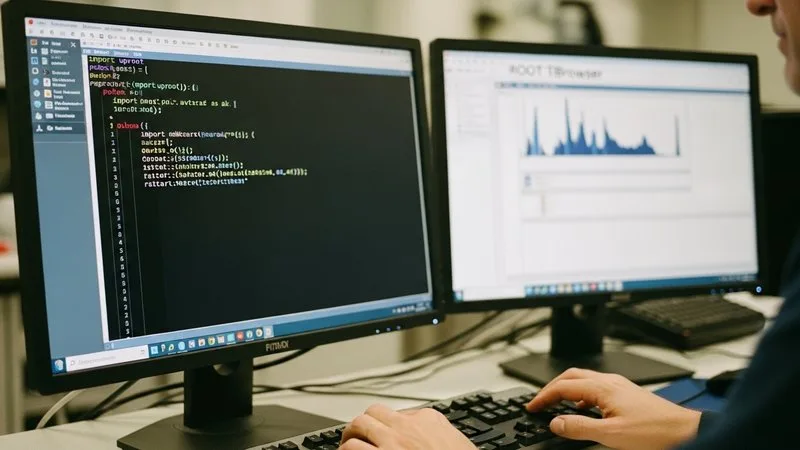
If you have spent time in HEP analysis, your data almost certainly lives in ROOT files — ntuples packed with reconstructed tracks, jets, missing energy, and whatever combination of observables your group has decided to store. Getting those observables into a NumPy array or a Pandas DataFrame is the first concrete step toward any machine-learning workflow, and it is surprisingly straightforward once you know which tools to reach for.
Why Not Just Use ROOT's Python Bindings?
PyROOT works, but it is not designed for the data-loading patterns that ML libraries expect. You typically want a dense, rectangular array of floats that you can hand directly to scikit-learn, PyTorch, or XGBoost. PyROOT encourages you to loop over events in a C++-style event loop, which is slow in Python and produces objects rather than arrays. The community has converged on a lighter path: uproot for reading the ROOT file format and awkward-array for handling the jagged, variable-length structure that particle physics data naturally has.
Installing the Tools
Both packages are pure Python and live on PyPI and conda-forge, so there is no ROOT installation required on the machine doing the training.
pip install uproot awkward
Or, if you prefer conda:
conda install -c conda-forge uproot awkward
That is the entire dependency story for reading. If you want to write ROOT files back out, uproot handles that too, but for ML workflows you rarely need it.
Opening a File and Browsing Its Contents
A basic uproot tutorial starts here. Open any ROOT file by passing its path to uproot.open:
import uproot

f = uproot.open("my_analysis.root")
print(f.keys())          # list all objects in the file
Navigate to a TTree the same way you would in a ROOT macro:
tree = f["events"]       # or whatever your tree is named
print(tree.keys())       # list all branches
This gives you an immediate inventory of every branch available — exactly the observables you care about.
Reading Branches Into Arrays
Flat, fixed-length branches
Branches that store one number per event (jet pT, missing ET, event weight) are the easy case. A single call converts them directly to NumPy arrays:
import numpy as np

pt   = tree["jet_pt"].array(library="np")
eta  = tree["jet_eta"].array(library="np")
met  = tree["met"].array(library="np")
You can also read several branches at once and get a structured array or a dictionary:
arrays = tree.arrays(["jet_pt", "jet_eta", "met"], library="np")
Each value in the dictionary is a plain NumPy array, ready to be stacked into a feature matrix with np.column_stack.
Jagged branches and awkward-array
Most HEP branches are not flat. A branch storing the pT of every jet in the event has a different length for each event — two jets here, five there. This is where the awkward array HEP stack earns its keep.
import awkward as ak

jets_pt = tree["jet_pt"].array(library="ak")   # awkward array
You now have an ak.Array that behaves like a list of lists but supports vectorised operations across the jagged dimension:
leading_pt = ak.to_numpy(ak.firsts(jets_pt)) # leading jet pT per event
ak.firsts pulls the first element from each sub-list, returning a flat array you can feed directly into a model. Other common patterns — counting objects, applying per-event cuts, padding to a fixed length — are all one-liners in awkward. This is the practical bridge between ROOT to numpy for machine learning and the irregular structure that real detector data has.
Building a Feature Matrix
Once you have flat arrays, assembling the feature matrix is standard NumPy:
X = np.column_stack([
    tree["jet_pt"].array(library="np"),
    tree["jet_eta"].array(library="np"),
    tree["met"].array(library="np"),
])
y = tree["label"].array(library="np")   # signal=1, background=0
X is now exactly the shape that any sklearn estimator, PyTorch DataLoader, or XGBoost DMatrix expects. If you want a DataFrame instead, pass library="pd" to get a Pandas object directly — useful for quick visual checks before training.
A Few Practical Tips
- Chunked reading: For files that do not fit in memory, use
tree.iterate()instead oftree.arrays(). It yields batches, which maps naturally onto mini-batch training. - Entry ranges: Pass
entry_startandentry_stopto read a slice of the tree — handy for quick debugging without loading everything. - Remote files: uproot can open files over XRootD or HTTP with no code changes, which matters if your ntuples live on a grid storage element.
If you want a structured path through these tools and into full ML workflows for analysis, the HEP ML full course covers data loading, feature engineering, and model training in one connected curriculum. You can also explore the free Module 1 to get a feel for the approach before committing.
Getting your data out of ROOT and into Python arrays is not the glamorous part of ML in HEP, but it is the part everything else depends on — and with uproot and awkward-array, it is genuinely a few lines of code.
Want to go deeper?
Machine Learning for High Energy Physics: The Complete Course takes you from first principles to a defensible result in 6 structured modules. $97, 30-day guarantee.
See the course →Not ready yet? Grab Module 1 free →